
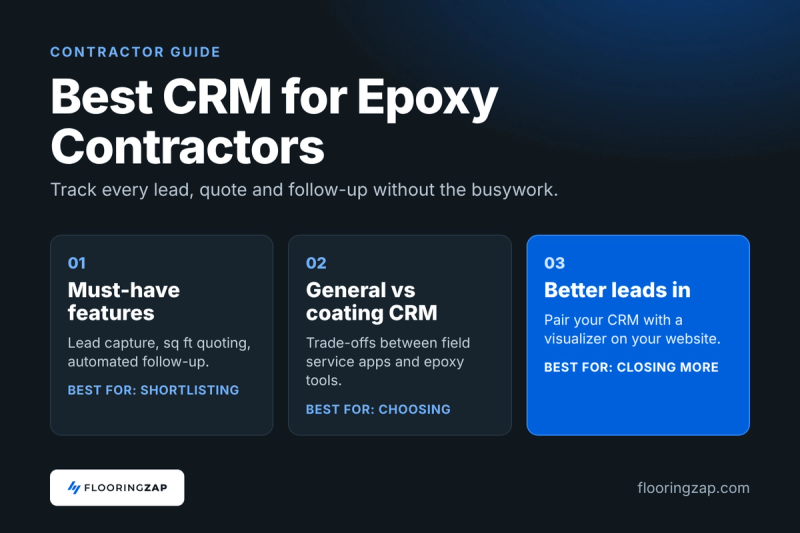
Picking an epoxy flooring CRM comes down to one test: does it track every lead, quote and follow-up for a coating crew without adding busywork? Most contractors start with a phone full of texts, a notebook and a spreadsheet. That works until you are running two crews, quoting six garages a week and forgetting to call back the customer who asked about metallic in the basement. This guide covers what a CRM actually needs to do for epoxy work, how general field service software compares with coating specific tools, and how to set one up so it pays for itself.
What an Epoxy Flooring CRM Actually Needs to Do
A CRM (customer relationship management system) is just a shared record of every customer and where they are in your sales process. For a flooring or coating contractor, that process is short but easy to drop: inquiry, site visit, quote, follow-up, booking, install, payment, review.
The best software is the one your team will actually open every day. Before you look at feature lists, write down your own pipeline stages. A typical coating shop might use:
- New lead
- Measured or site visit booked
- Quote sent
- Follow-up in progress
- Won and scheduled
- Completed and paid
- Review requested
If a CRM cannot mirror those stages without a lot of custom work, keep shopping.
Lead capture from every source
Your leads come from Google, Facebook, referrals, yard signs and your website form. A good CRM pulls web form leads in automatically and lets you log phone and text leads in seconds. Track the source on every lead. That one field tells you which marketing is paying off, which is the whole point of our epoxy lead generation guide.
Quoting that understands square footage and systems
Epoxy jobs are priced by area, prep and system. Look for software that lets you build line items such as grinding, crack repair, base coat, flake broadcast and topcoat, then save them as templates. Being able to show two or three options on one quote (for example, a standard flake system next to a full broadcast with a polyaspartic topcoat) helps customers say yes without another round of calls. If you are still working out your numbers, our epoxy pricing and quoting guide walks through it.
Follow-up that happens without you
Most lost jobs are not lost to a cheaper competitor. They go quiet because nobody followed up. Automated text and email reminders after a quote is sent are the single most useful CRM feature for a small crew. Set a sequence once, and it runs whether you are on a grinder or not.
Scheduling, job notes and photos
Coating jobs depend on cure times, moisture readings and weather. Your CRM should hold job notes, photos of the slab before prep and the chosen colors so the crew lead is not calling the office from the driveway.
Payments and review requests
Taking deposits and final payments inside the same system cuts down on chasing checks. An automatic Google review request after the job is marked complete is a small feature that pays off in local search over time.
General Field Service Software vs Coating Specific CRMs
There are two broad camps, and both can work. The right pick depends on your size, how much you want to customize and whether you do other trades.
General home service platforms
Tools like Jobber are built for many service trades. Jobber describes itself as home and commercial service software that helps run a business from first quote to final payment, with scheduling, invoicing, payments and automated reminders and follow-ups.
Trade-offs to weigh:
- Pros: mature apps, lots of integrations, plenty of training content, easy to hire people who already know them.
- Cons: you build your own epoxy line items and templates, and the language is generic, so expect some setup time.
CRMs built for coating contractors
A few vendors focus on epoxy and concrete coatings. For example, DripJobs calls itself a CRM built for epoxy and concrete coating contractors and lists estimating based on square footage and coating type, automated text and email drip campaigns, itemized proposals customers can accept and pay online, crew management, job costing, a sales pipeline and Google review requests.
Trade-offs to weigh:
- Pros: less setup, coating terms built in, workflows designed around how flake and metallic jobs are sold.
- Cons: smaller ecosystems, and if you also do LVP, tile or hardwood you may find the epoxy focus limiting.
Vendor rankings of "best CRM" lists are often written by the vendors themselves. Treat any close rate claim or "number one" badge as marketing until you see it work in your own pipeline.
Free and low cost starting points
If you are a one or two person operation, you do not need to start with a full platform. HubSpot offers a free CRM with no time limit, which is enough to keep contacts and deals in one place while you learn what you need. Plenty of crews run on that plus a quoting tool until volume forces a change. The catch: you will be stitching tools together, and quotes, scheduling and payments will live in separate places.
How to Choose the Right CRM for Your Shop
Skip the feature comparison spreadsheet for a moment and think about where jobs leak today.
- Leads slip through the cracks: prioritize lead capture, a clear pipeline view and automated follow-up.
- Quotes take too long: prioritize templates, good/better/best options and e-signature.
- Scheduling is chaos: prioritize crew calendars, job notes and mobile access.
- Cash flow is slow: prioritize online deposits and payment reminders.
Run a two week real world test
Most platforms offer a trial or demo. Put real leads into it, not test data. Send at least three real quotes from it. Have your crew lead use the mobile app on an actual job. If the team avoids it after two weeks, it will not get better after two months.
Questions to ask every vendor
- Can I build my own line items for prep, base, flake and topcoat?
- Can I show multiple system options on one quote?
- Does it pull in leads from my website form automatically?
- Can I attach photos and renderings to a quote?
- How do I get my data out if I leave?
- Is support available during the hours I actually work?
That last data question matters. Your customer list is one of the most valuable assets in your business. Make sure you can export it.
Connecting Your Visualizer and Website to Your CRM
A CRM only manages the leads you feed it. The better the lead, the less work the CRM has to do.
This is where a visualizer earns its spot in the stack. FlooringZAP is our product, so take this with that in mind. A contractor uploads a photo of the customer's room and shows epoxy, hardwood, LVP or tile in it. The embedded version runs on your own website with a lead form, so a homeowner can try floors in a photo of their own garage and then send you their details.
Here is how that fits with a CRM in practice:
- A visitor uses the visualizer on your site and submits the lead form.
- The lead lands in your inbox or CRM with the floor they picked.
- Your follow-up sequence starts, and your first call opens with "I saw you liked the gray flake blend" instead of a cold introduction.
- When you build the quote, you attach the rendering so the customer sees the exact floor they are paying for.
That visual also helps during follow-up. A quote with a picture of the customer's own garage is easier to say yes to than a quote with only line items. We covered this tool category in more depth in our floor visualizer comparison for contractors.
Setting Up Your CRM So It Gets Used
The biggest CRM failure is not picking the wrong tool. It is a half finished setup that nobody trusts. Keep it simple.
Week one: the basics
- Import your existing customer and lead list.
- Create your pipeline stages to match how you actually sell.
- Build quote templates for your three most common jobs, such as a two car garage flake system, a basement metallic and a commercial grind and seal.
Week two: automation
- Turn on an automatic reply to new web leads so they hear from you within minutes.
- Set a follow-up sequence after every quote: a text two days later, an email a week later, a final check-in after two weeks.
- Turn on review requests after jobs are marked paid.
Every week after
- Spend fifteen minutes on Monday looking at the pipeline. Anything stuck in "quote sent" for more than ten days gets a personal call.
- Check lead source numbers once a month and move ad money toward what is closing.
One honest note: no CRM fixes slow response. If a lead waits a day for a reply, they have probably already called someone else. The tool helps you be fast, it does not make you fast.
Epoxy Flooring CRM FAQ
Do I need a CRM if I only run one crew?
Not always, but most single crew shops hit the limit of texts and spreadsheets sooner than they expect. If you are sending more than a few quotes a week and losing track of who needs a follow-up call, even a free CRM will pay for the time it takes to set up.
Is a coating specific CRM better than Jobber or a general tool?
It depends on your business. A coating specific CRM usually needs less setup for epoxy line items and proposals. A general platform has a bigger ecosystem and handles mixed trades better. Test both with real leads before deciding.
What is the most important CRM feature for flooring contractors?
Automated follow-up. Many quotes go cold because nobody checks in. A simple sequence of texts and emails after each quote recovers jobs you would otherwise lose without adding work to your week.
Can I connect a floor visualizer to my CRM?
Yes, in the sense that a visualizer on your website collects the lead and sends it to you, and you then manage it in your CRM. Check with your CRM vendor on whether web form leads can flow in automatically or need to be added by hand.
How long does it take to set up a CRM?
A basic setup with your pipeline, a few quote templates and a follow-up sequence takes most contractors a couple of weeks of part time work. Start small and add automation once the team is using it daily.
See the Embedded Visualizer on a Site Like Yours
A CRM works best when the leads coming in are already excited about a specific floor. Book a demo and we will show you how the embedded FlooringZAP visualizer and lead form look on a contractor website like yours.